See it in action
Record. Stop. Done.
Real screens from Cadence — not mockups.
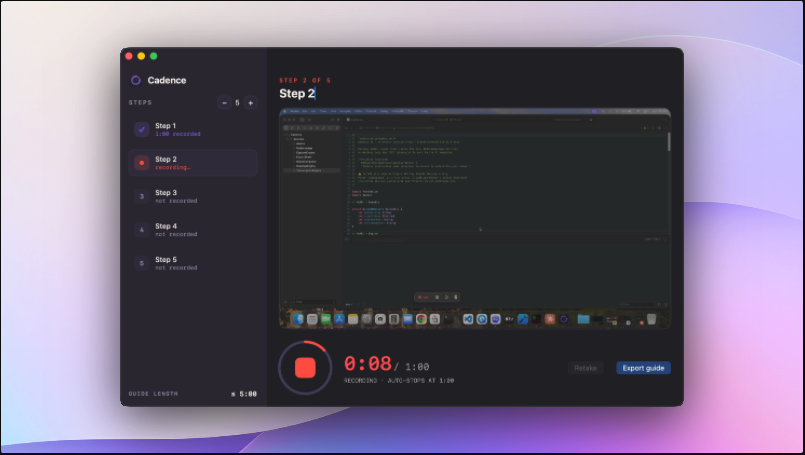
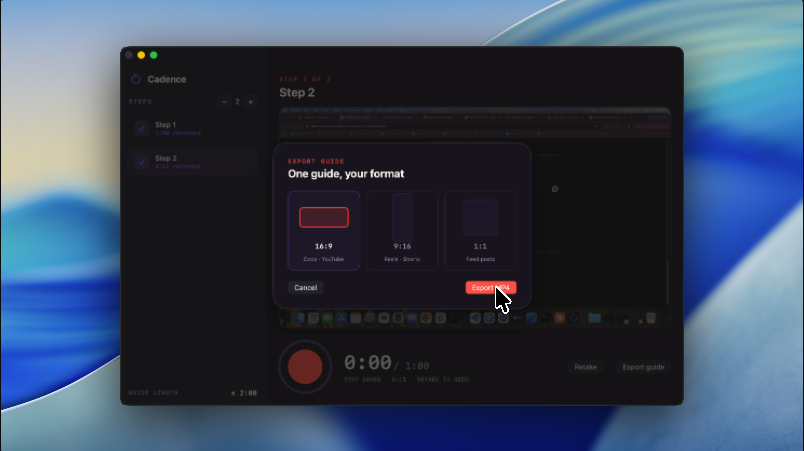
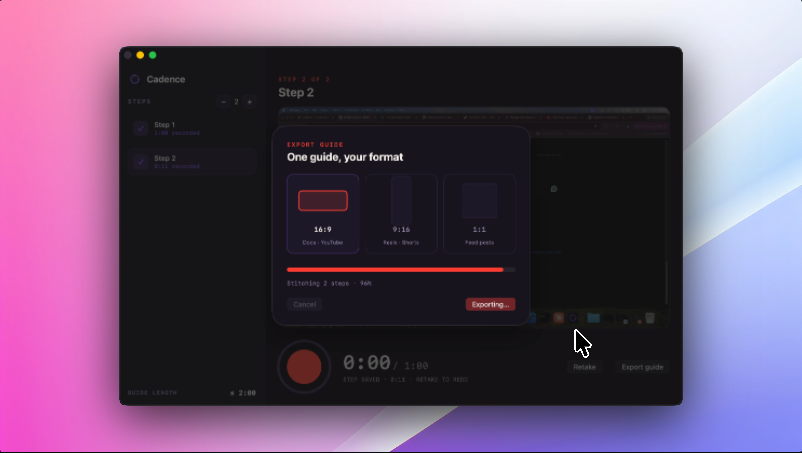
Cadence won't let you ramble. Every step auto-stops at 60 seconds, then stitches into one clean MP4 with chapters. No timeline, no editing, no cloud.
macOS 13+ · Apple Silicon & Intel · 7-day free trial, then $79 once · notarized by Apple
Real screens from Cadence — not mockups.
Editing tutorials is where hours go to die. Cadence removes the timeline entirely — the structure does the editing for you.
Start with 5 steps — add or remove down to 2 or up to 8. Name each one so viewers always know where they are.
Hit record, show the thing, talk it through. At 60 seconds the take ends — period. Fumbled it? Retake just that step.
Steps stitch automatically with title cards and chapter markers. Drop the file anywhere — Slack, Notion, your docs.
Loom records meetings. Screen Studio makes launch videos. Scribe makes screenshot docs. Cadence makes the thing in between: short, watchable, structured how-tos.
| Cadence | Loom | Screen Studio | Scribe / Tango | |
|---|---|---|---|---|
| Output | Chaptered MP4, ≤ 5 min | Unedited video, any length | Polished video (you edit) | Screenshots + text |
| Editing required | None — capped takes | Trim manually | Full timeline edit | None |
| Keeps viewers' attention | 1-min steps, skippable chapters | 12-min rambles | Yes, if you edit well | No voice, no motion |
| Your recordings live | On your Mac, local MP4 | Their cloud | Local | Their cloud |
| Price | One-time | $15+/mo forever | $229 or subscription | $24+/mo forever |
Every step auto-stops at 1:00. It forces you to be clear — and your viewers to actually finish.
Animated step titles, smooth cross-dissolves, chapter markers — broadcast-feel output with zero timeline.
Flubbed step 3? Re-record only step 3. Steps 1–2 and 4–5 stay exactly as they were.
One guide, three exports: 16:9 for docs, 9:16 for Reels, Shorts & TikTok, 1:1 for feeds — auto-framed.
No accounts, no upload, no cloud. Your screen recordings never leave your Mac.
It's just an MP4. Slack, Notion, email, your help center — no player, no paywall for viewers.
No subscription. No seat math. Buy it like software used to be bought.
7-day free trial · then $79 once · yours forever
No card to start · buy the $79 license anytime → get your key